
Link an insight to an article
Applies to: Inspections & Checklists Hub | Observations & Coaching Hub | Knowledge & Learning Hub
- Go to the Admin, then open Reviews — Insights.
- Search for the insight you want to link to an article, or create a new one.
- Open the insight. In the More details section, find Link to article.
-
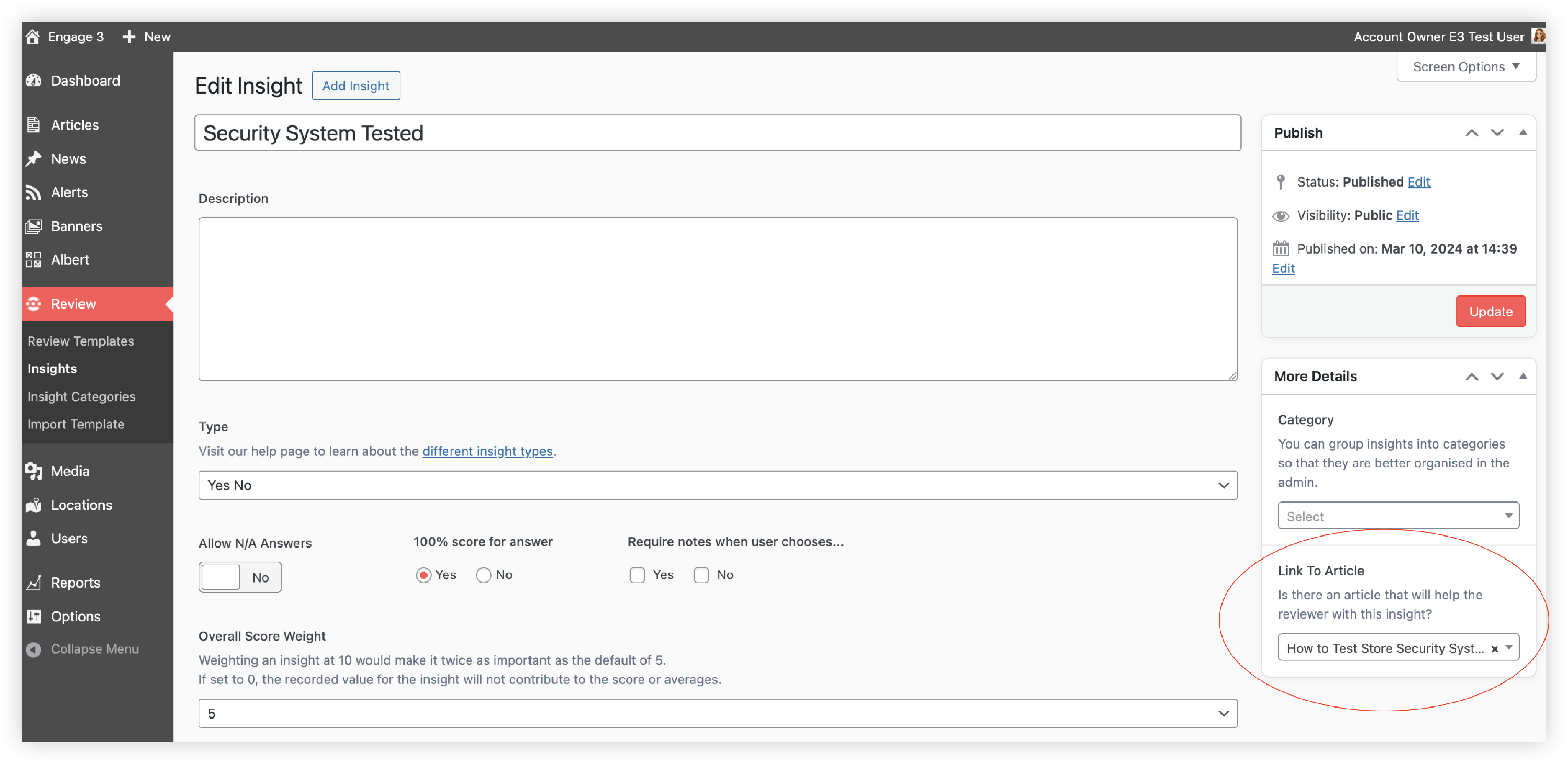
- Use the dropdown to search for the article, then select it.
- Save your changes — update the insight, or publish it if it’s new.
When you view the insight on the frontline, the linked article will appear in the insight description.

What to know
This feature is available if you’re using the Knowledge and learning hub alongside either:
- Inspections and checklist hub, or/and
- Observation and coaching hub