
How can I let a user access multiple locations when completing a review?
Applies to: Inspections & Checklists Hub | Observations & Coaching Hub
Access to different locations for reviews is managed through permissions assigned to user roles. To view or manage these permissions:
-
Navigate to Users → Permissions in the admin.
-
Click Edit By Role.
-
Select one or more user roles to view their current permissions, then click Next.
-
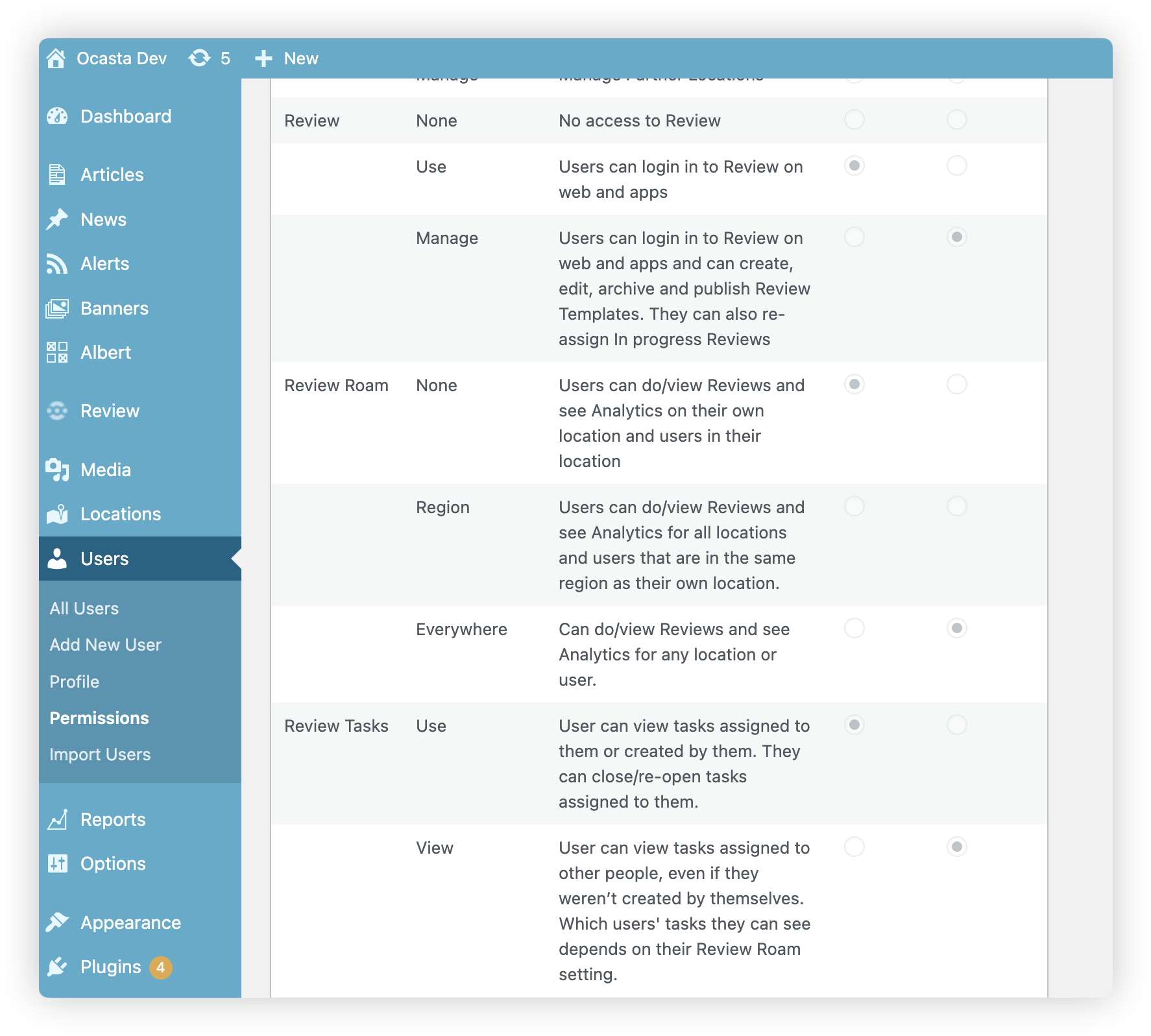
You will see the permissions matrix, where you can review and modify permissions for the selected roles.
-
Once finished, be sure to save your changes.
Review roaming permissions
When creating or editing user roles, you can choose the roaming permissions that define which locations & users, users assigned to the role can view.
-
None - Roam within their Location
Users can perform/view reviews and see analytics for their own location and users within their location.
-
Region - Roam within their Region
Users can perform/view reviews and see analytics for all locations and users within their region and any sub-regions.
-
Everywhere - View All Locations
Users can perform/view reviews and see analytics for all locations and users.
Regional roaming
⚠️ Important Note: For regional roaming to work correctly, each end user must have a location assigned within their region. This enables the system to identify the user's region and apply roaming logic accurately.
In some cases, it's simplest to create a dedicated location for the user in their region, especially if they are not already tied to a specific site or location. This helps ensure their roaming access works as expected.
If you need any help setting up user roles or editing existing user roles please contact support@ocasta.com and a member of the team would be happy to help 👍