
One Time Reviews, Role Targeted Person Reviews & a Smarter Home Page
This update brings more clarity and control to Ocasta reviews. You can now target person reviews by role, making sure only the relevant team members can be selected for Review. One-time reviews let you assign single actions across locations with clear reporting on completion. Plus, a new home page section highlights the most urgent scheduled and one-time reviews, helping teams stay on track and focused.
Ocasta Review
Target person reviews by role
Some reviews only apply to certain roles, such as store leaders or sales assistants. To make this clearer and cut out any confusion, you can now choose which roles a person review relates to. It works in the same way as location reviews, where you pick the location types the review applies to.
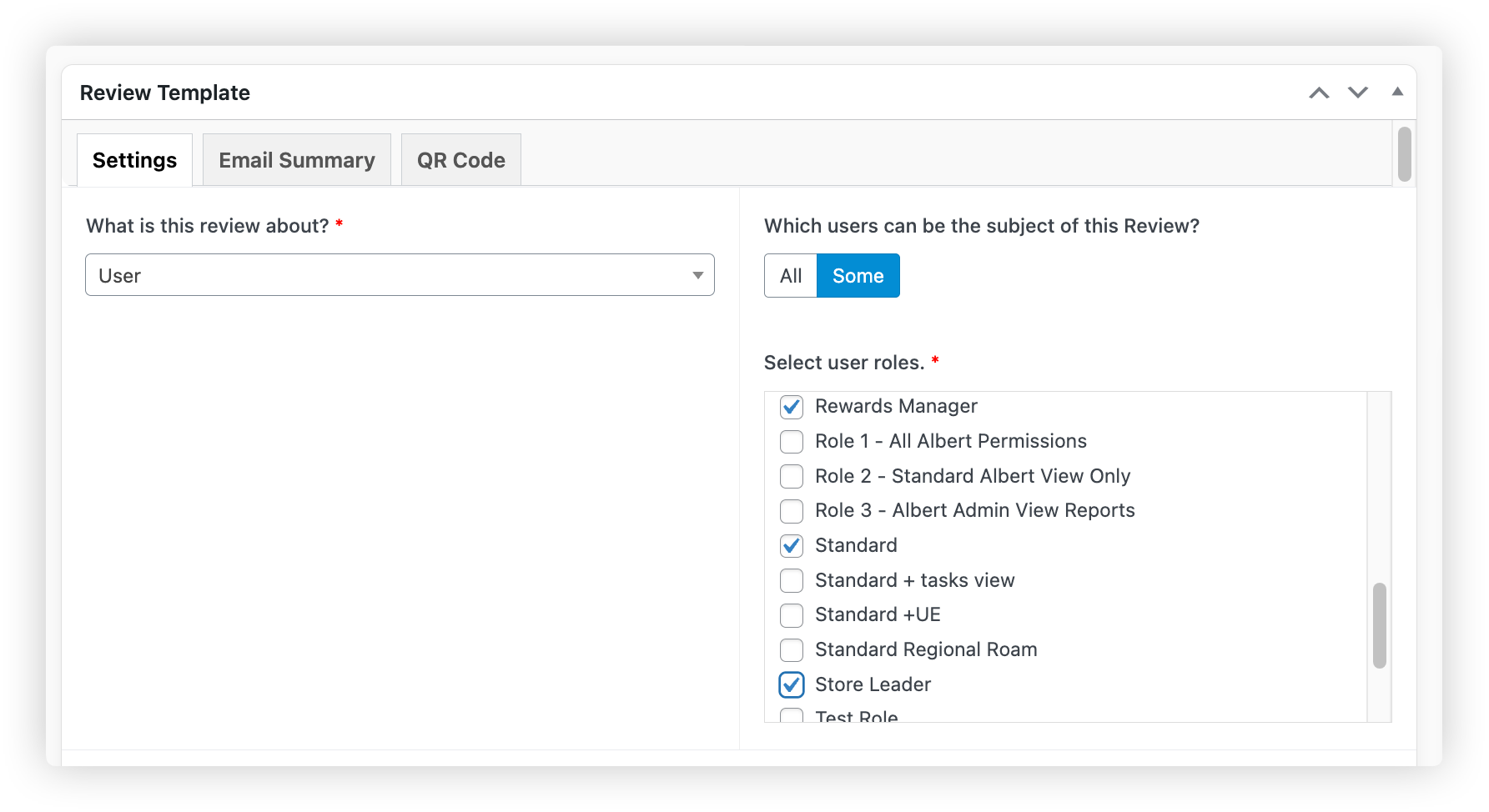
Once you’ve selected the roles, only people in those roles will be able to have the review started on them. The analytics summaries will also only take into account the chosen roles, so you always have an accurate view of performance.
How to target a person review by role
One time reviews
Sometimes you need every store to complete a single action — like swapping out a POS poster — and you still want to see reporting on who has done it. That’s where one time reviews help.
We’ve added a new checkbox insight that can be used in any review template, although it’s especially helpful here. The user simply ticks to confirm the task is complete, and they can add a photo or notes if needed.
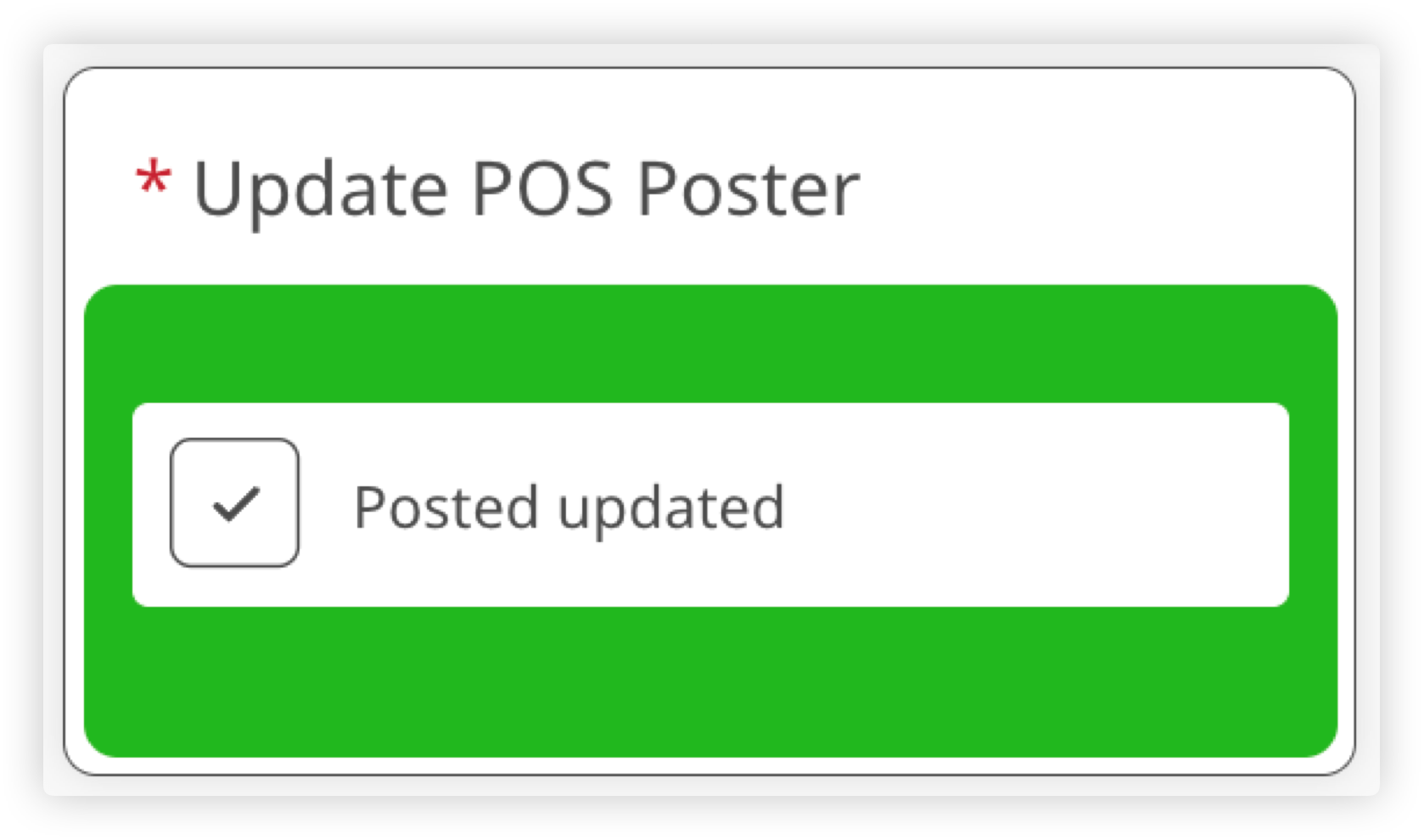
One time reviews appear in the Scheduled reviews tab on the Start page. You’ll see a due date, but users can still submit reviews after it has passed. When overdue they are clearly marked so teams know what needs attention.
One time reviews are for location reviews only. You can assign them to all locations or specific location types. Only one submission is allowed per location, so if someone else tries to complete it later, they’ll see the review is already done.
Managers can see which locations have completed a one time review in the Latest report within analytics on the web.
How to set up a one time review.
Please note: The checkbox insight is new and is not supported in older versions of the app. To use this feature, please wait until version 2025.12 is available to all users.
We recommend waiting at least one week before enabling this feature to give everyone time to update.
New home page section for scheduled and one time reviews
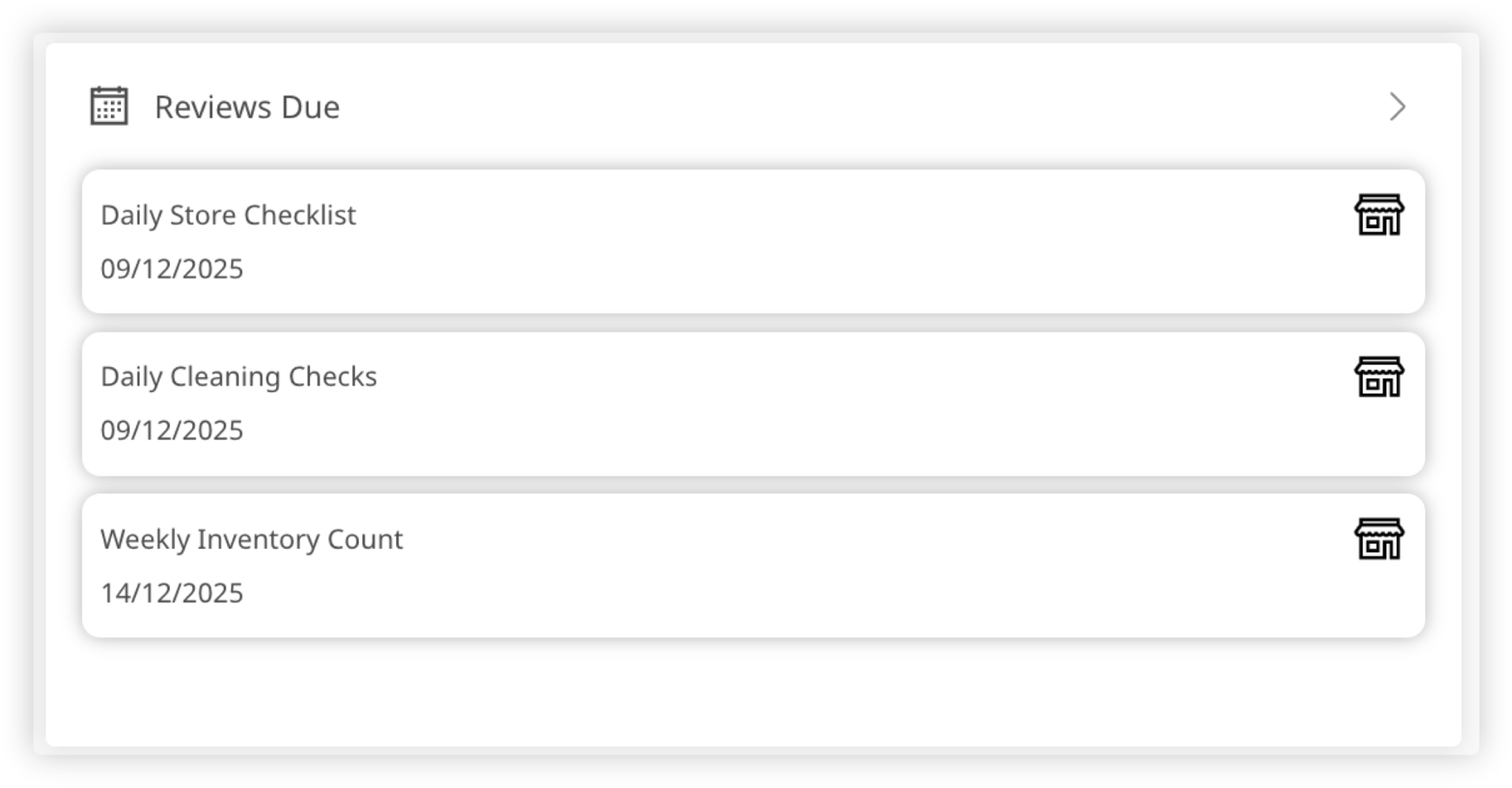
To help everyone stay on track, the home page now includes a section highlighting the reviews that need attention first. It shows the top three most urgent scheduled reviews, including one time reviews.
If nothing is due, the section stays hidden — keeping the home page clean and focused.
Ocasta Engage
⚒️Bug fixes and improvements
We’ve made a few behind the scenes improvements to keep things running smoothly and fix some minor bugs — all to make your experience faster and more reliable.
Reminder: On the 5th of January 2026, Ocasta Engage and Review will be becoming one app, Ocasta. We have created this launch pack to help you communicate the change with your teams.
If you have any questions please let us know.